The right business first.
Search by business name and location, compare the listings and confirm the business you want to research.
 JP’S CLOUD PROFILESCTR TASK AUTOMATOR 2
VERSION 2 · BUILT FOR WINDOWS
Bring Google Maps keyword research, business campaigns and reporting into one colorful workspace. Meet CTR Task Automator 2.
Powered by JP’s Cloud Profiles · Customer access code required
THE VERSION 2 WORKSPACE
Confirm the right business, run your keywords and review each outcome. Colorful summaries keep matches, missing listings and errors easy to spot.
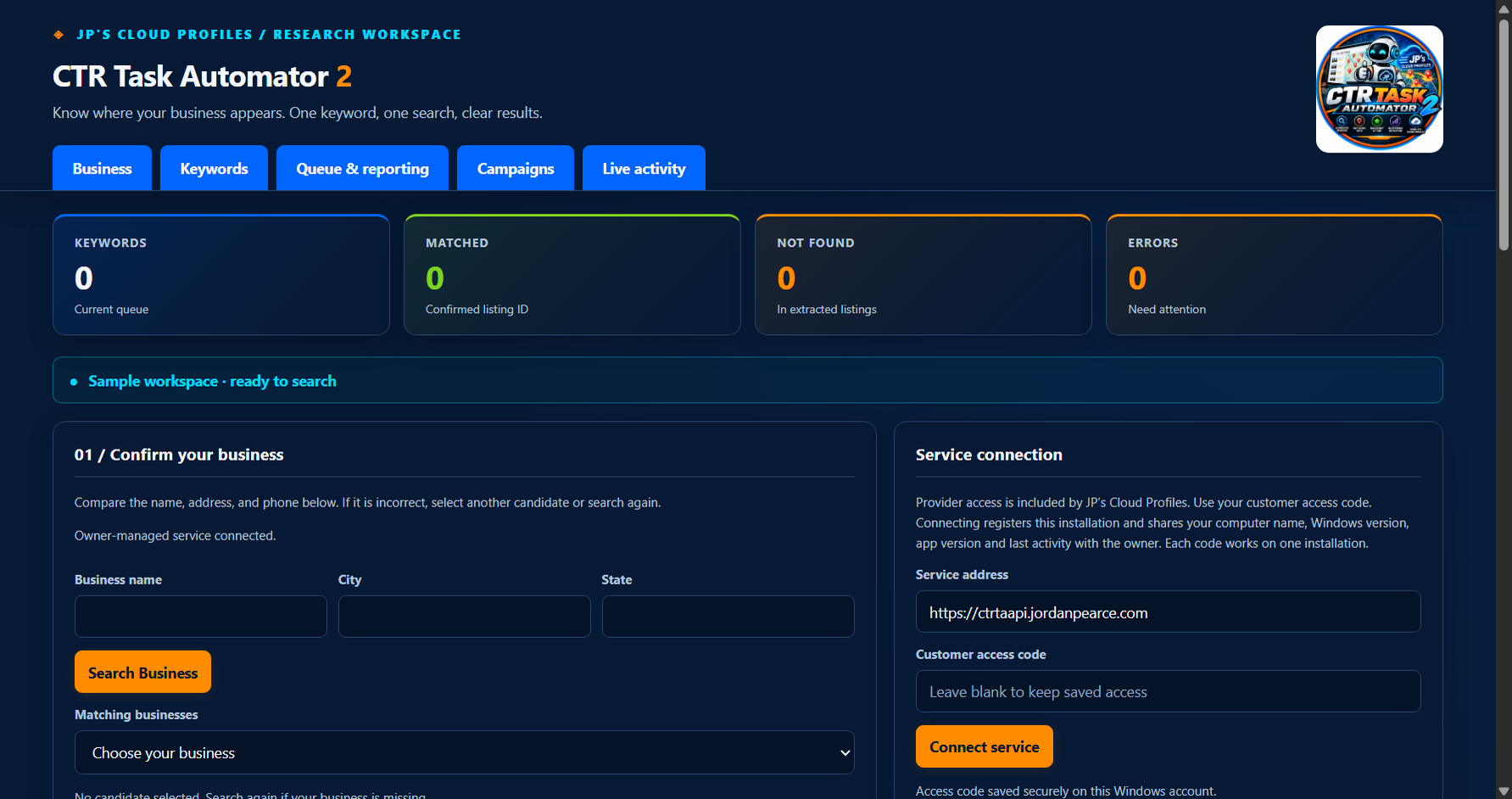
Search by business name and location, compare the listings and confirm the business you want to research.
Use multiple keywords in a research queue. Keep the wording you enter, with optional location context when you need it.
Review timestamped activity, extracted listing positions and verified outcomes. Export research history as a CSV report.
A LOOK INSIDE
Follow a sample keyword queue from searching to completed results. This preview uses demonstration data; it is not a live search or a performance claim.
Animated capture of the app with simulated search progress.
SET THE PACE
Each activation code includes up to 10 business campaigns, with up to three keywords each. Choose a daily allowance of one to ten attempts, a time window and a local time zone.
Rotate keywords in order or choose randomly. Space times evenly or randomize them within your window. Saved schedules run on the server while the desktop app is closed.
Sample settings. Attempts include failed or unverified requests. Daily service limits also apply.
GET CTR TASK AUTOMATOR 2
One monthly subscription per activation code. Need more than 10 businesses? Purchase another license for its own code and allowance.
VERSION 2 / MONTHLY
Recurring monthly subscription per license.
Checkout opening soonThe Stripe purchase link is being connected. Please check back before purchasing.
Billed monthly until canceled. Review the total and billing terms in Stripe before paying. After payment is verified, your activation code is emailed to your checkout email address. Access requires a current paid subscription.
Already have an access code? Download the app ↗A FEW USEFUL DETAILS
CTR Task Automator 2 is a Windows workspace for researching how a confirmed business appears in keyword search results, organizing business campaigns and reviewing recorded outcomes.
No. Connect using your customer access code. JP’s Cloud Profiles manages the service connection.
Each license supports 10 business campaigns. Purchase another $350 USD/month license for another activation code and 10 more businesses. Each business campaign supports up to three keywords and at most ten attempts per local day. Manual and scheduled attempts share that business limit. Failed or unverified requests count toward the limit; daily service allowances also apply.
A match means the confirmed listing was found among extracted results. A verified profile visit is reported separately when supported and confirmed. Extracted position is the order of listing links in that response, not a universal Maps ranking. Results do not promise changes in rankings, traffic or sales.
Each access code is bound to one registered installation. Ask JP’s Cloud Profiles to reset the device registration if you need to move to another computer.